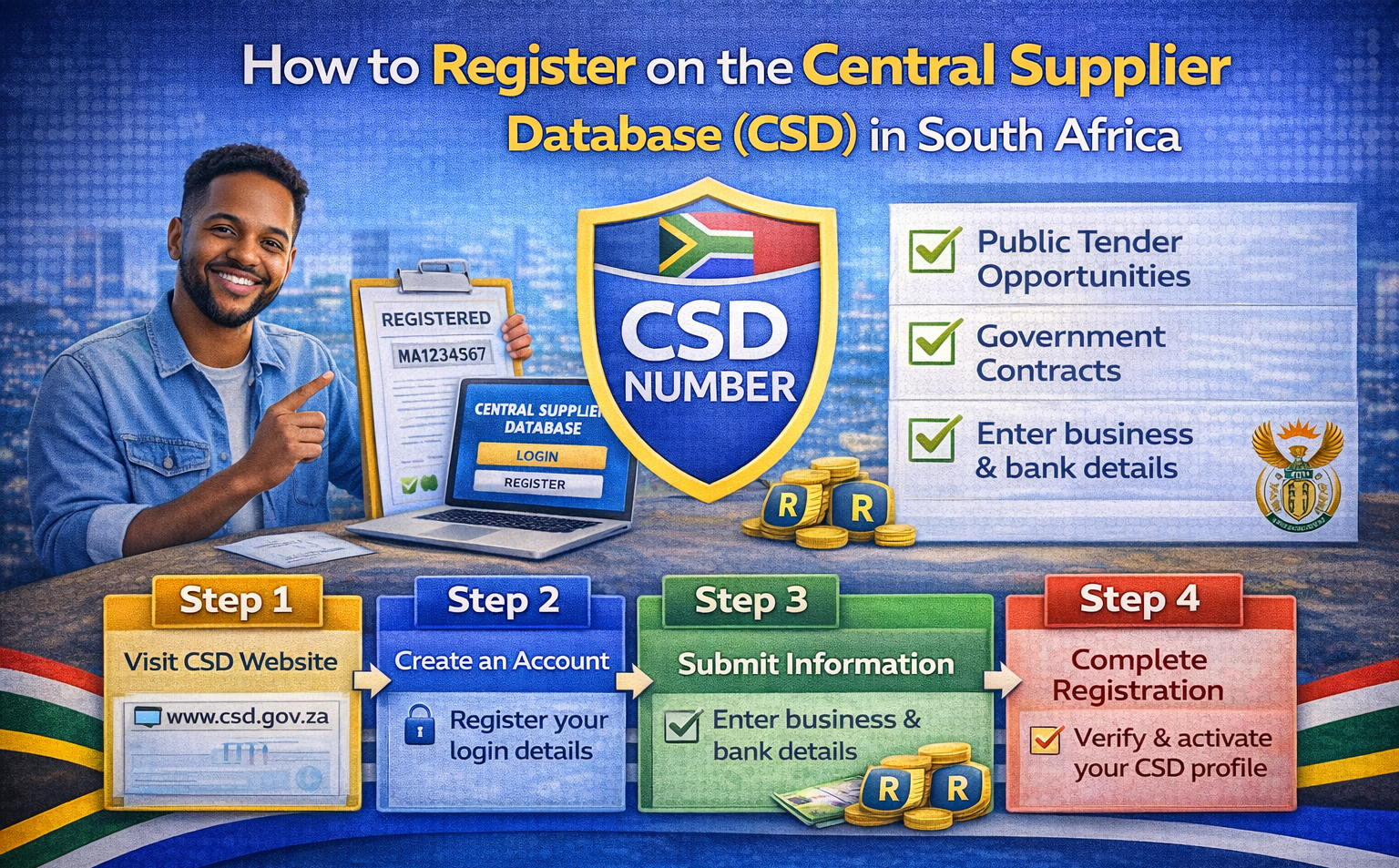
If you want to:
-
Apply for government tenders
-
Supply goods or services to municipalities
-
Do business with state-owned entities
You must register on the Central Supplier Database (CSD).
Without CSD registration, you cannot legally supply government.
Here’s a simple step-by-step guide to help you register correctly.
What Is the Central Supplier Database (CSD)?
The CSD is an online supplier registration system managed by the
National Treasury
It stores and verifies supplier information for:
-
National departments
-
Provincial governments
-
Municipalities
-
Public entities
It automatically integrates with:
-
South African Revenue Service (SARS)
-
Companies and Intellectual Property Commission (CIPC)
This ensures suppliers are compliant before doing business with government.
Who Must Register on CSD?
You must register if you are:
✔ A Pty Ltd company
✔ A sole proprietor
✔ A partnership
✔ A non-profit supplying government
✔ A cooperative
If you plan to submit a tender — CSD registration is mandatory.
Documents & Information You’ll Need
Before starting, prepare:
-
Company registration number (if applicable)
-
Director/owner ID numbers
-
Tax reference number
-
Bank account details
-
Contact details (email & phone number)
-
B-BBEE certificate or affidavit (if available)
Having everything ready speeds up the process.
Step-by-Step: How to Register on CSD
Step 1: Visit the Official CSD Website
Go to the official Central Supplier Database portal.
Make sure you are on the official government site to avoid scams.
Step 2: Create an Account
-
Register as a supplier
-
Enter your email address
-
Create login credentials
You will receive a verification email.
Step 3: Add Supplier Information
Fill in:
-
Business type
-
Registration number
-
Income tax number
-
VAT number (if registered)
-
Director/owner details
Ensure all information matches CIPC and SARS records.
Step 4: Add Banking Details
You must enter:
-
Bank name
-
Account number
-
Branch code
Your bank account will be verified electronically.
Important: The account must be in the business name (for companies).
Step 5: Confirm Tax Compliance
The system automatically checks your tax status with SARS.
If your tax status is non-compliant:
-
Your CSD profile will reflect this
-
You may be disqualified from tenders
Make sure your tax affairs are up to date.
Step 6: Submit Your Application
Once all sections are complete:
✔ Submit
✔ Wait for verification
✔ Receive your CSD registration number
Approval usually takes a few days if all information is correct.
What Happens After Registration?
You will receive:
-
A unique CSD number
-
A supplier summary report
-
Compliance confirmation
You can now use this number when:
-
Applying for tenders
-
Registering on procurement portals
-
Submitting supplier forms
Is CSD Registration Free?
Yes.
Registration on the Central Supplier Database is completely free.
Be cautious of service providers charging high fees for basic registration.
Common Mistakes to Avoid
❌ Using incorrect tax numbers
❌ Entering mismatched banking details
❌ Not updating director changes
❌ Waiting until a tender deadline to register
❌ Ignoring non-compliant tax status
Always keep your profile updated.
How to Keep Your CSD Profile Active
✔ Update changes in directors
✔ Update banking changes
✔ Keep tax compliance active
✔ Renew B-BBEE documents annually
Inactive or outdated profiles can lead to tender disqualification.
Final Thoughts
If your business wants to work with government in South Africa, CSD registration is non-negotiable.
It ensures:
✔ Verified compliance
✔ Secure payment processing
✔ Eligibility for tenders
✔ Access to public sector opportunities
Register early — not when a tender is closing.
Frequently Asked Questions
Usually 1–5 working days if information is correct.
Yes — sole proprietors can register.
No.
CIPC registers your company.
CSD registers you as a government supplier.
No, but your compliance status must remain valid.